 ClubLadder
Forum
This guide explains how to use the club Forum to create discussions, reply to others, and keep conversations organized.
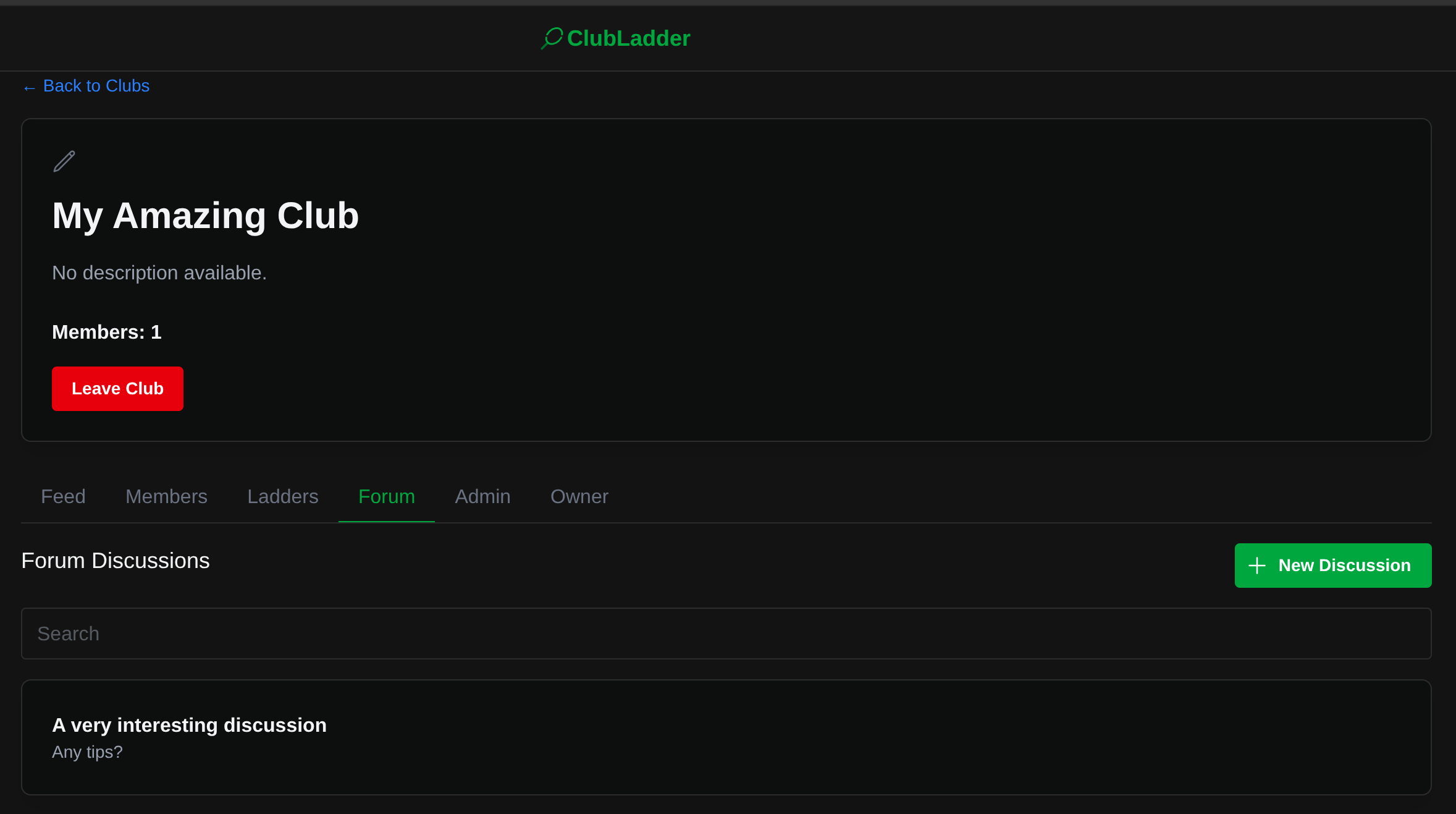
Create a discussion
- Navigate to the club page and open the Forum tab.
- Click New discussion.
- Enter a clear title and write your message in the content field.
- Submit to post; your discussion appears in the list immediately.
Browse and search
- Discussions are shown newest-first.
- Use the search field to filter discussions by title (case-insensitive).
- Click a discussion to read the full post and comments.
Commenting and replies
- Add a top-level comment using the comment box at the bottom of a discussion.
- Reply to a specific comment to create a threaded sub-discussion.
- Top-level comments are shown by default; expand replies to view nested threads.

Permissions and moderation
- Any club member can create discussions and post comments.
- Discussion creators and club admins can delete a discussion.
- Club admins can moderate or remove inappropriate content.
Tips
- Use descriptive titles so others can find your discussion.
- Reply to specific comments to keep related points grouped together.
Troubleshooting
- You must be logged in and a member of the club to post or comment.
- If you cannot delete a discussion, contact a club admin.